Pay once · Use it forever · Own your data
The last money app
you'll ever buy.Because you own it.
A complete financial command centre that runs entirely on your own computer. No subscription. No bank login. No cloud watching over your shoulder.
Windows & macOS · 30-day free trial · free mobile companion
The airgap
The same fresh numbers.
None of the exposure.
Your bank already sends statements. MyMoneyPot watches the folder they land in and updates itself, so you get YNAB-grade freshness across a gap no attacker can cross.
Encrypted at rest
Your database is sealed with AES-256 behind a passphrase only you hold. Lose the passphrase and even we cannot open it — that is the point.
Statements, not passwords
Drop in the CSV, OFX or PDF your bank already gives you. MyMoneyPot reads it on-device and reconciles it against the statement's own totals.
Sync on your terms
Want your phone in step? Point it at your Google Drive. Encrypted before it leaves, and we never hold the key.
In one sentence
A financial command centre
that lives on your desk.
Not a budgeting toy and not a spreadsheet. MyMoneyPot reads the statements your bank already gives you, reconciles them to the penny, and then answers the three questions that actually matter — where the money went, whether you are on plan, and which way you are heading.
What it is
A native desktop application for Windows and macOS, with a free mobile companion. Your whole financial life — accounts, transactions, budgets, debts, goals and fourteen reports — in one place you own outright.
Why you should care
Because renting the software that holds your financial history is a strange bargain. Stop paying and you lose the history too. Here you buy it once, it runs offline, and the file is yours whatever happens to us.
Why this and not the others
YNAB and Copilot need your bank credentials and a monthly fee. Excel needs you to build and maintain everything by hand. MyMoneyPot needs neither — and it proves its own arithmetic on screen.
The dashboard
Three questions.
Three straight answers.
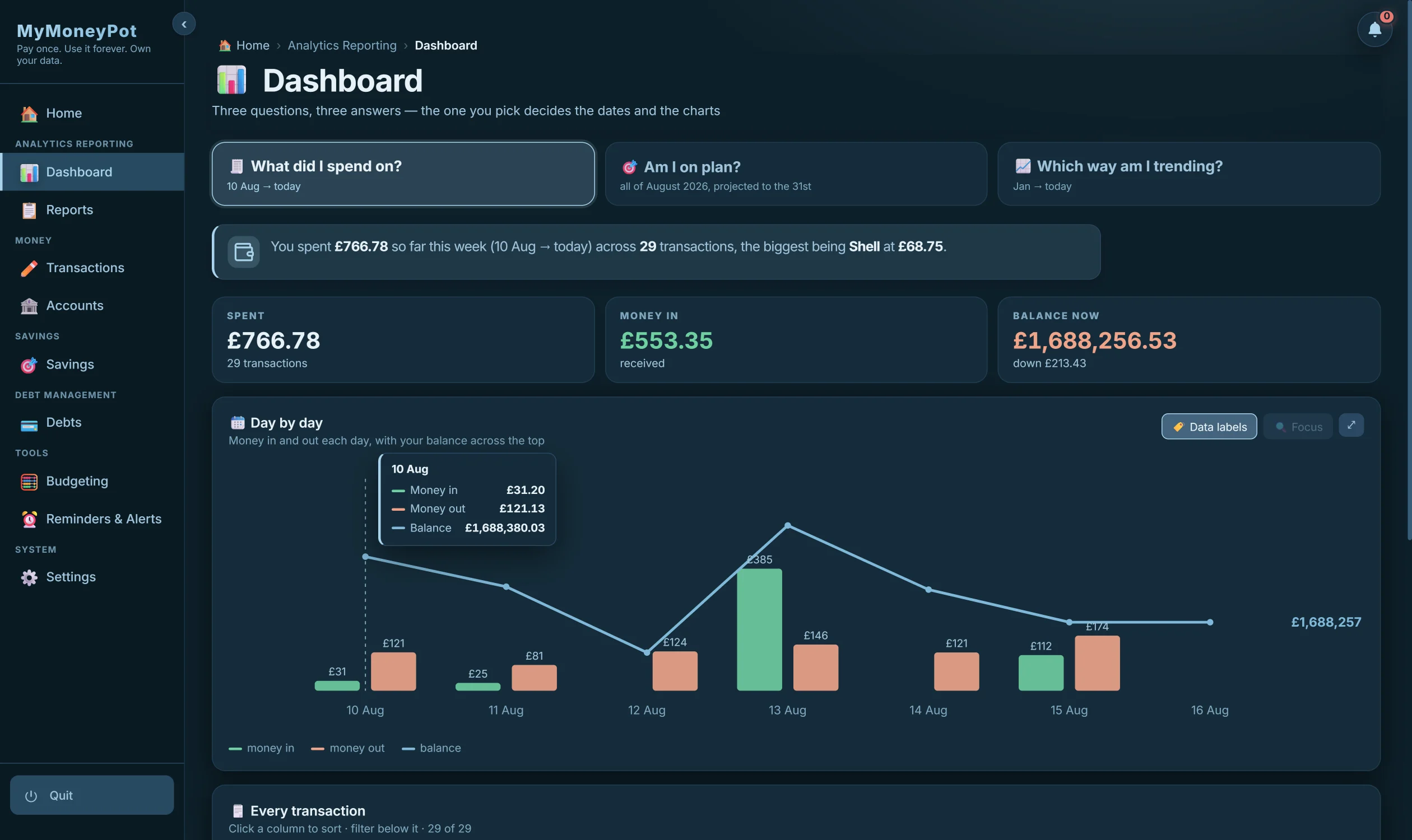
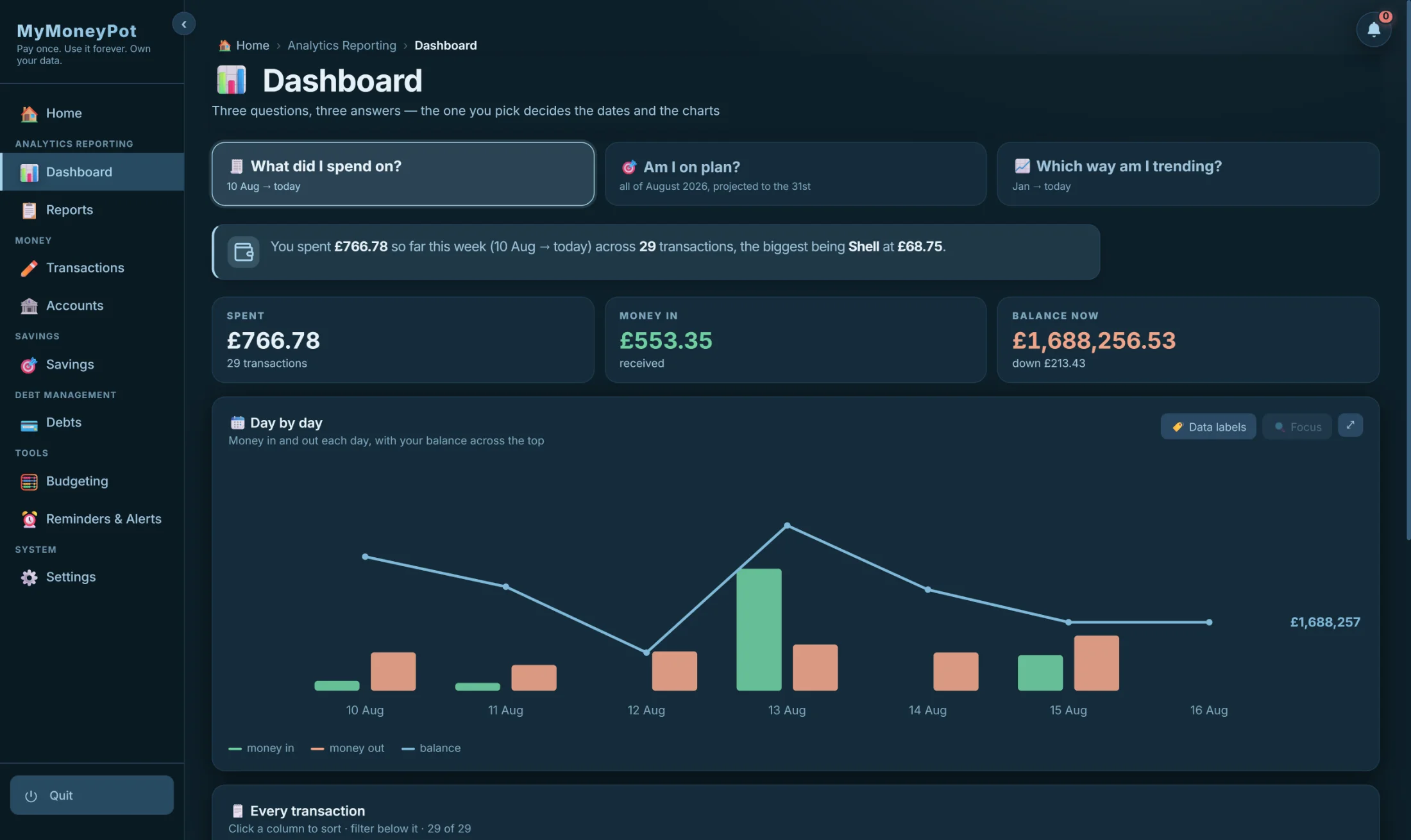
Most finance apps hand you a wall of charts and let you work it out. This one starts with the question. Pick it, and the dates, the maths and the chart all follow — these are the real screens, on real data.
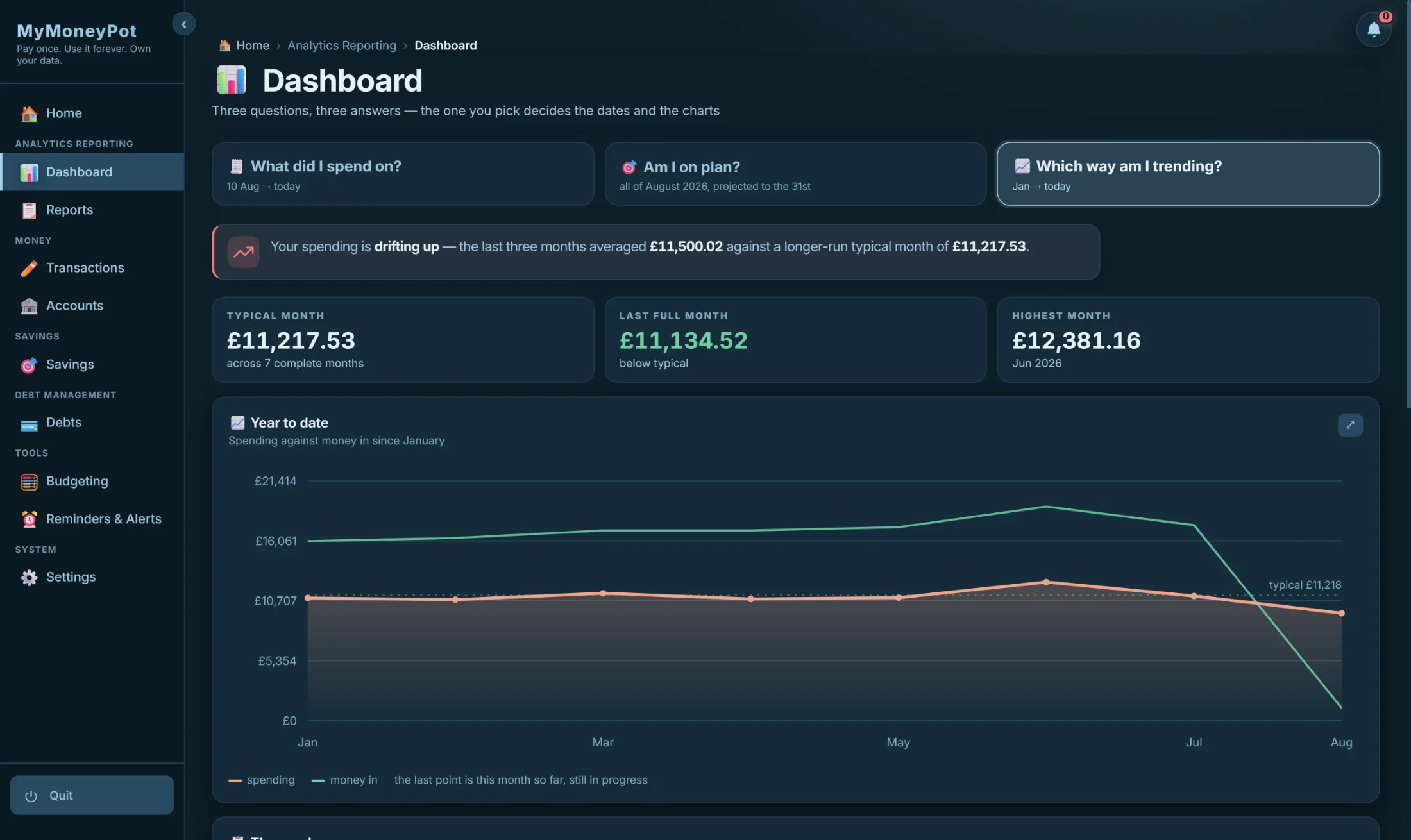
It tells you in a sentence.
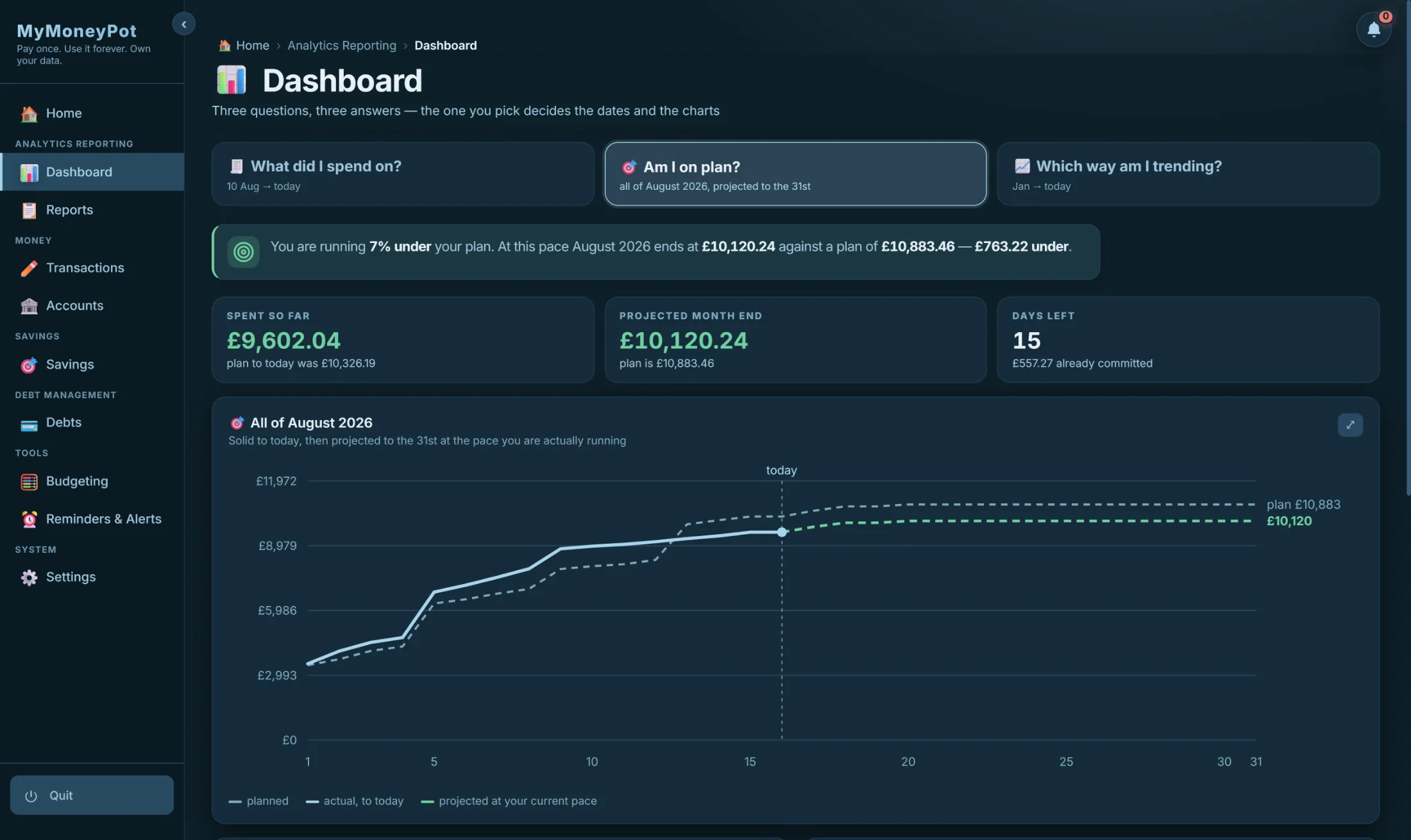
No interpretation required. The app reads its own numbers and says what they mean — in plain English, with the figures inline, before you look at a single chart.
You are running 7% under your plan. At this pace August 2026 ends at £10,120.24 against a plan of £10,883.46 — £763.22 under.
The dashboard's own words, word for word.
The ledger
Plan and reality,
on the same row.
Every transaction carries what you planned to spend, what you actually spent, and the difference — side by side. That one design decision is why the app can tell you you are £763 under plan without you reconciling anything by hand.
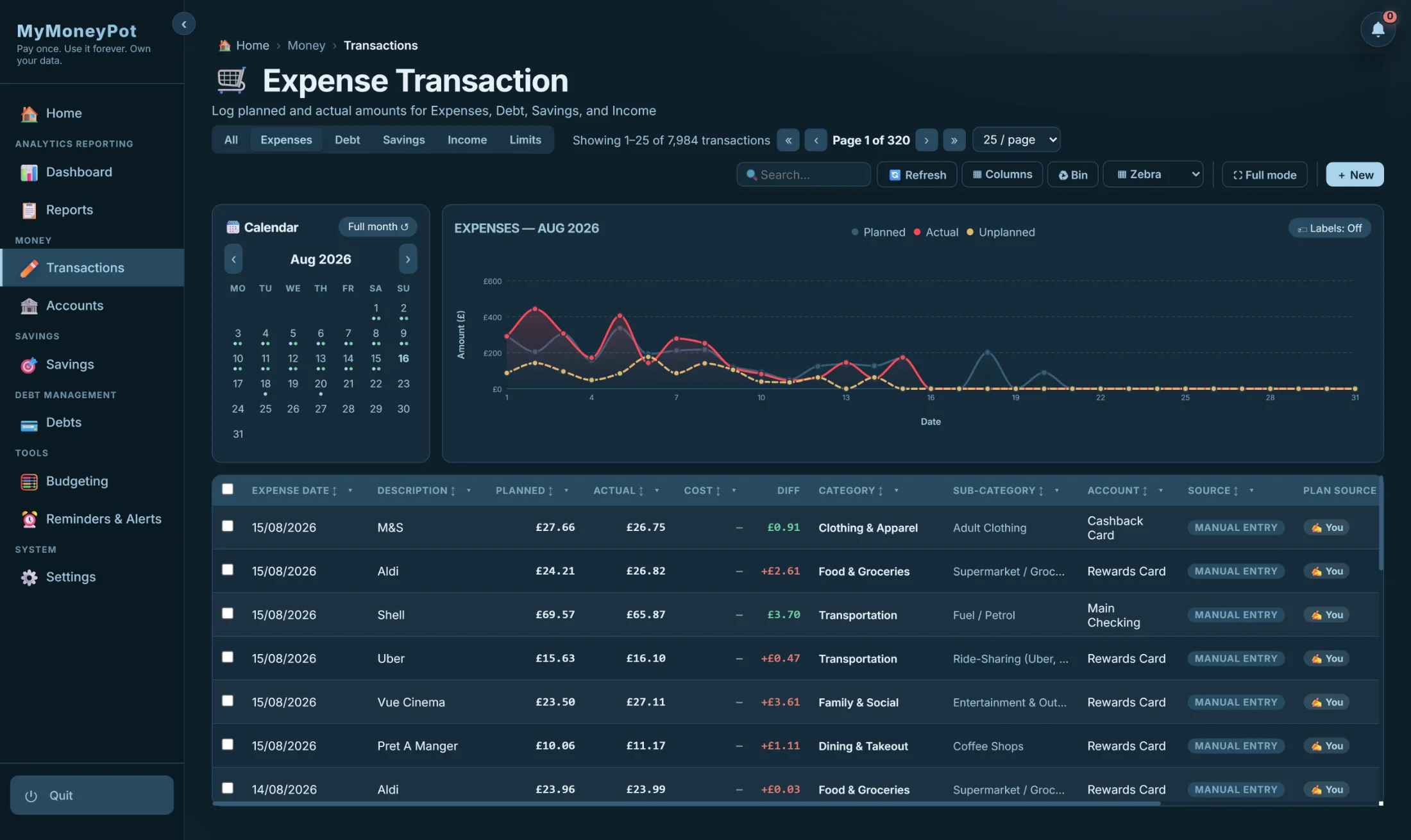
7,984 transactions · Planned · Actual · Diff — with category, account, and where each row came from.
Statement import
It learns your bank
the first time.
Drop in the file your bank already gives you. MyMoneyPot works out the layout, reads it on your machine, and checks its answer against the statement's own opening and closing balances. Next month, the same bank imports itself.
Drop the file in
CSV, OFX, QFX, QIF, CAMT.053, MT940 or a digital PDF — whatever your bank exports.
It reads it on your machine
Nothing is uploaded. The parser runs locally and never needs a login.
It proves the read
Opening + movement must equal closing. If it doesn't reconcile, you're told — not quietly given a wrong number.
It remembers
The layout graduates into a saved template, and your corrections become rules. Next month is one click.
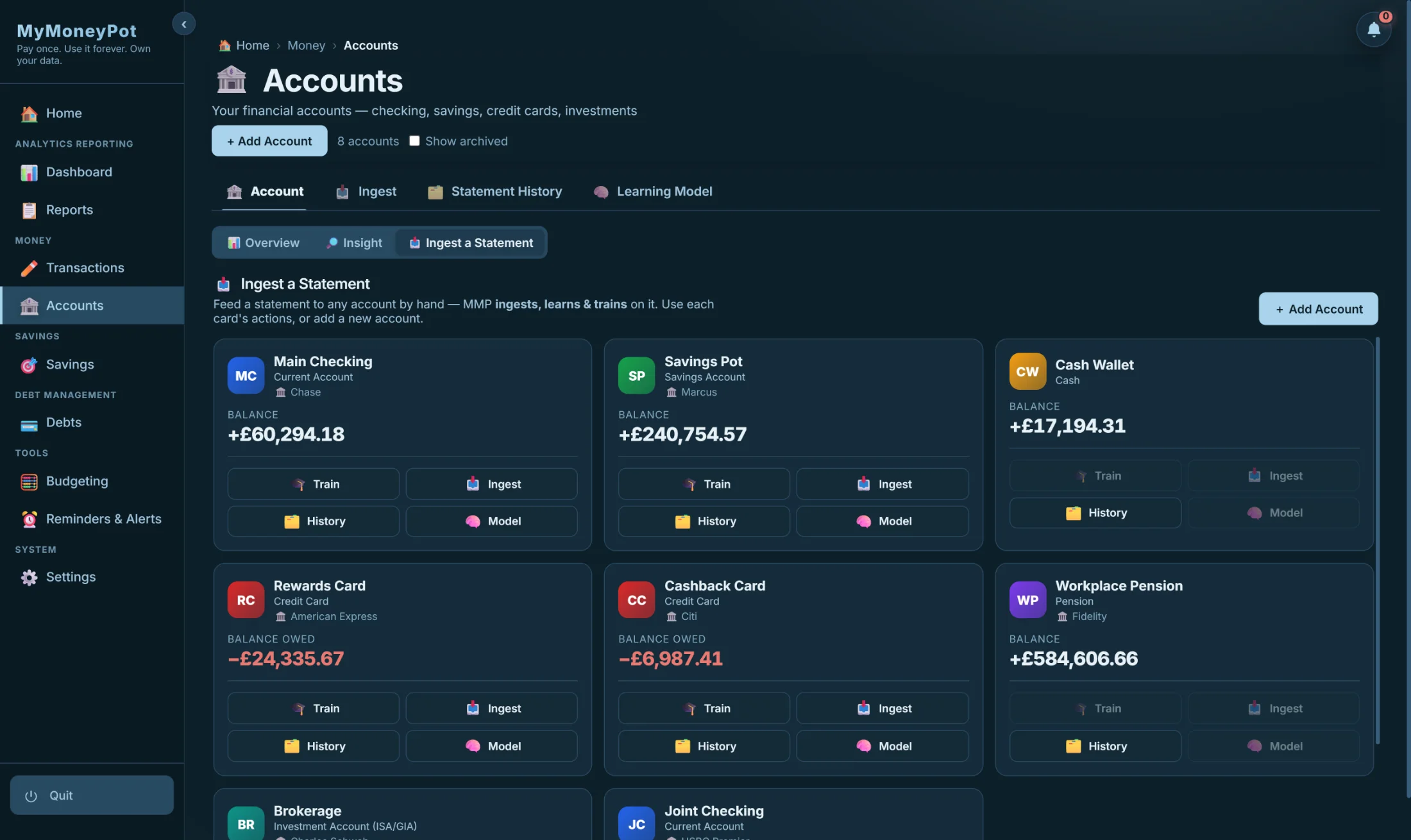
Every account knows its institution — and carries the buttons that teach the reader.
Reports
Fourteen reports.
One dataset. Any format.
Every report states its objective, shows its figures, and then writes its findings in sentences. Ask for the year and MyMoneyPot binds the whole thing into a document — cover, contents, commentary and exhibits — as one file you keep.
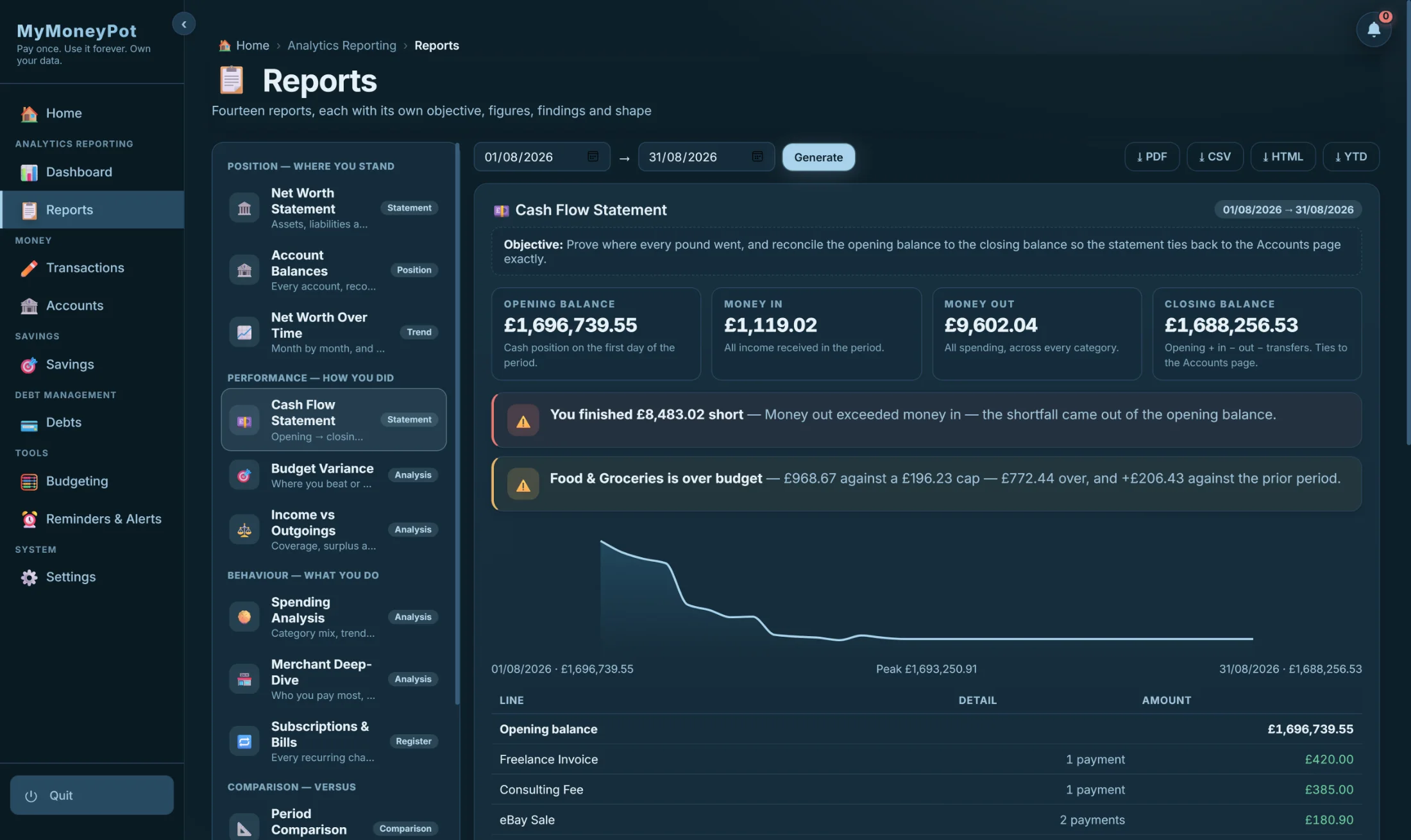
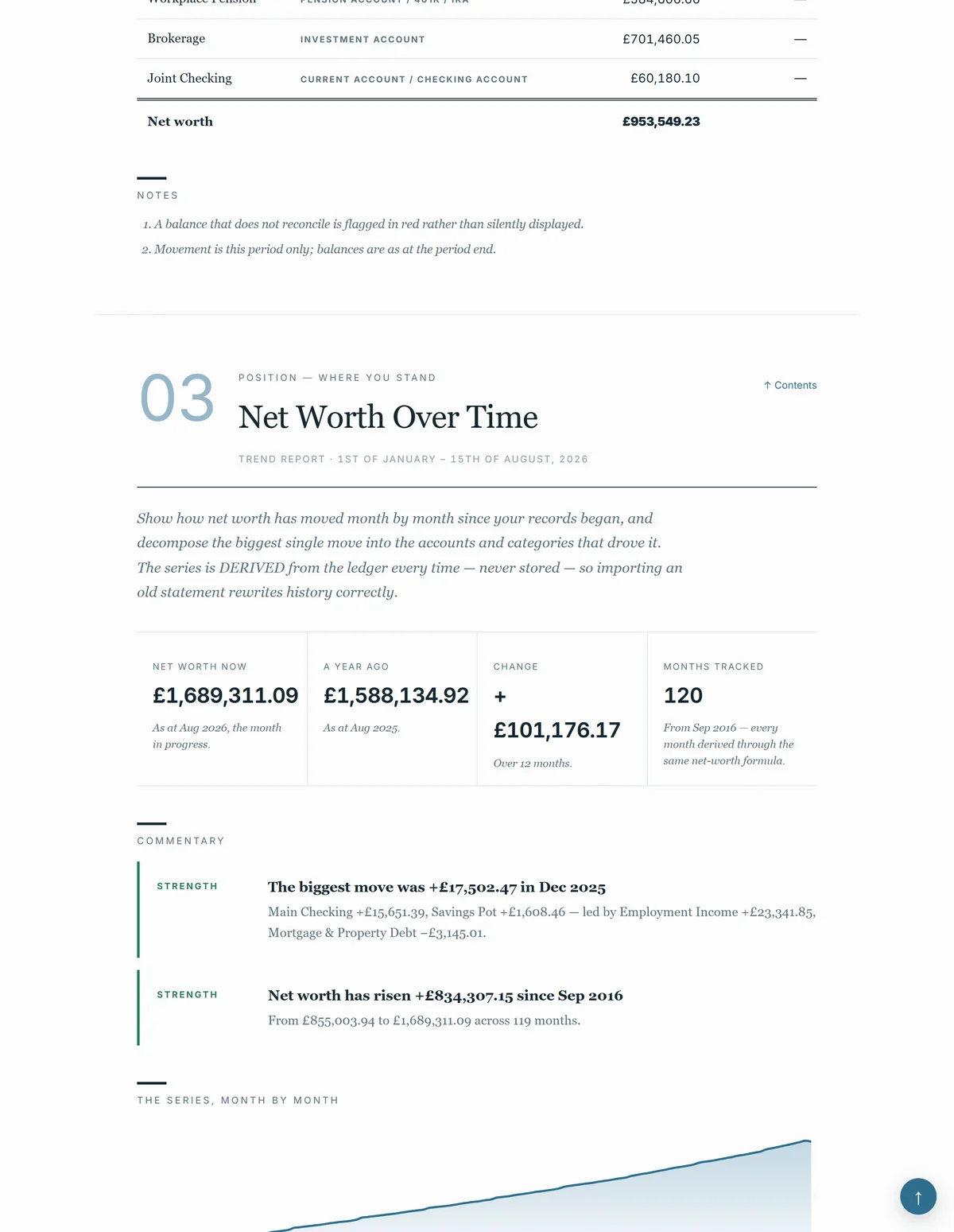
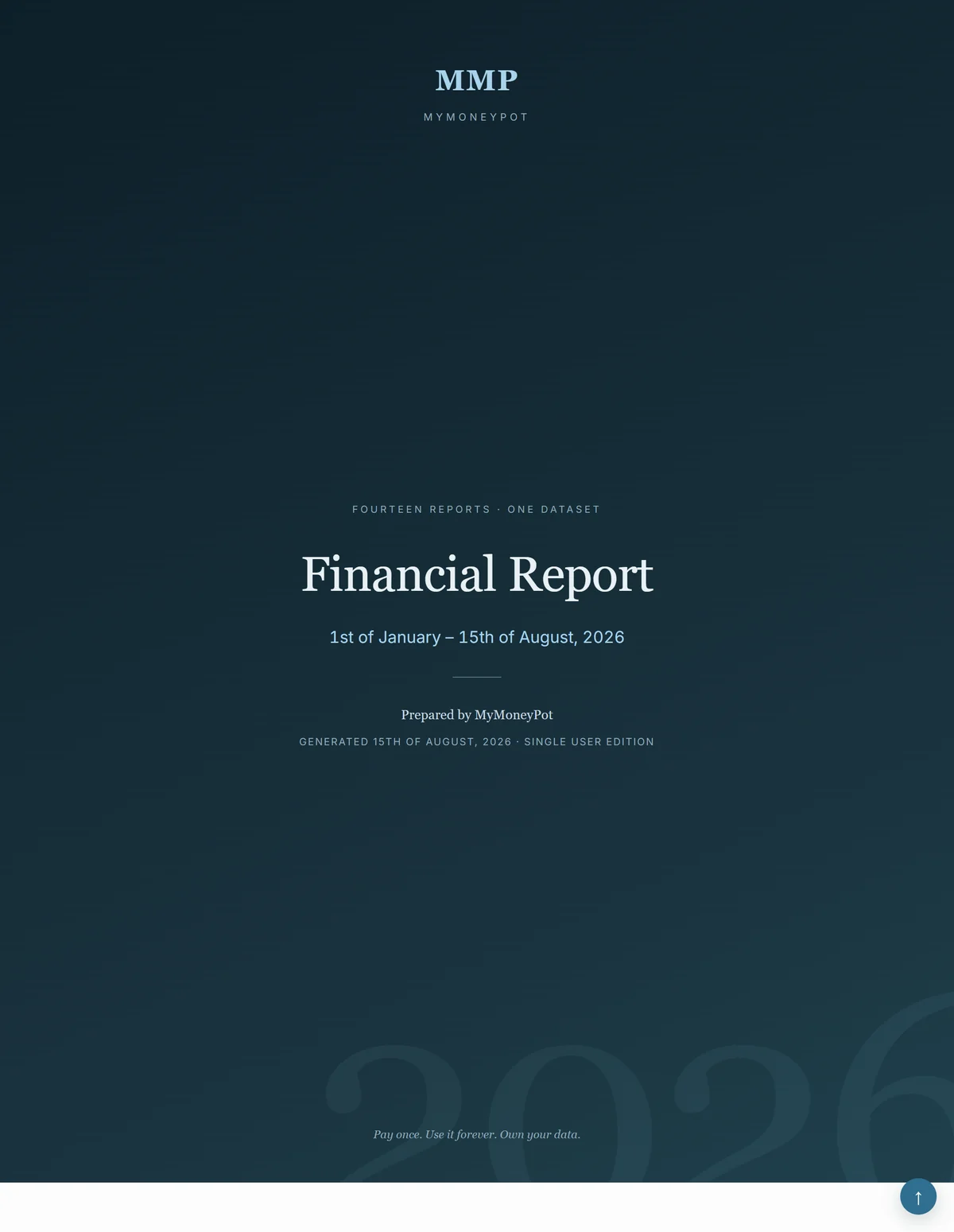
The live screen — and the same data, typeset as a document you keep.
Budgeting
Name the goal.
The app keeps the promise.
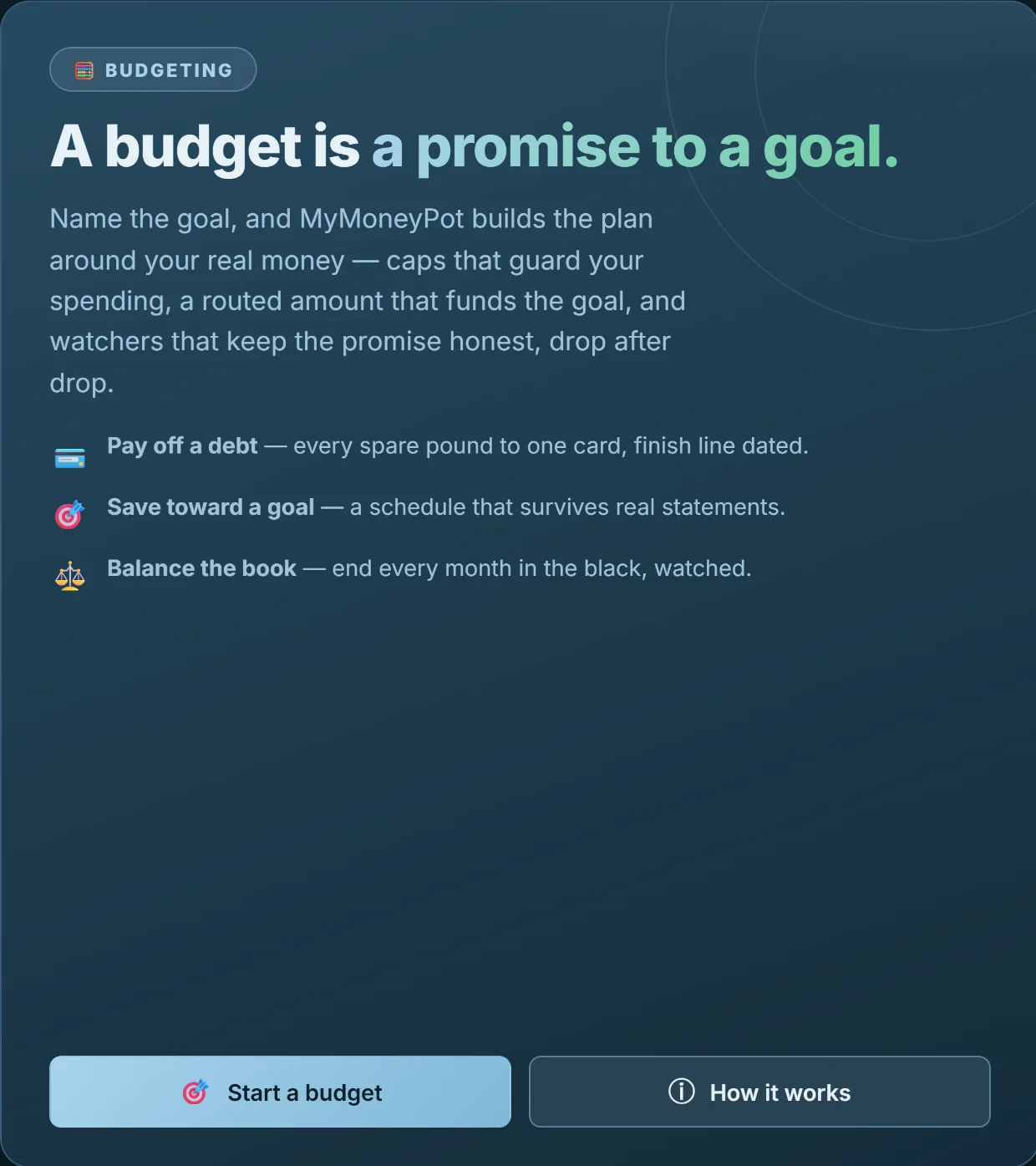
Every other app makes you stare at envelopes and category limits, and never says what they're for. Here you name the goal first — clear the card, fund the holiday, end the month in the black — and the app builds the caps, routes the money and watches the promise, statement after statement.

A finish line with a date — and a warning the moment it drifts.
Debts & goals
Know the exact month
you'll be free.
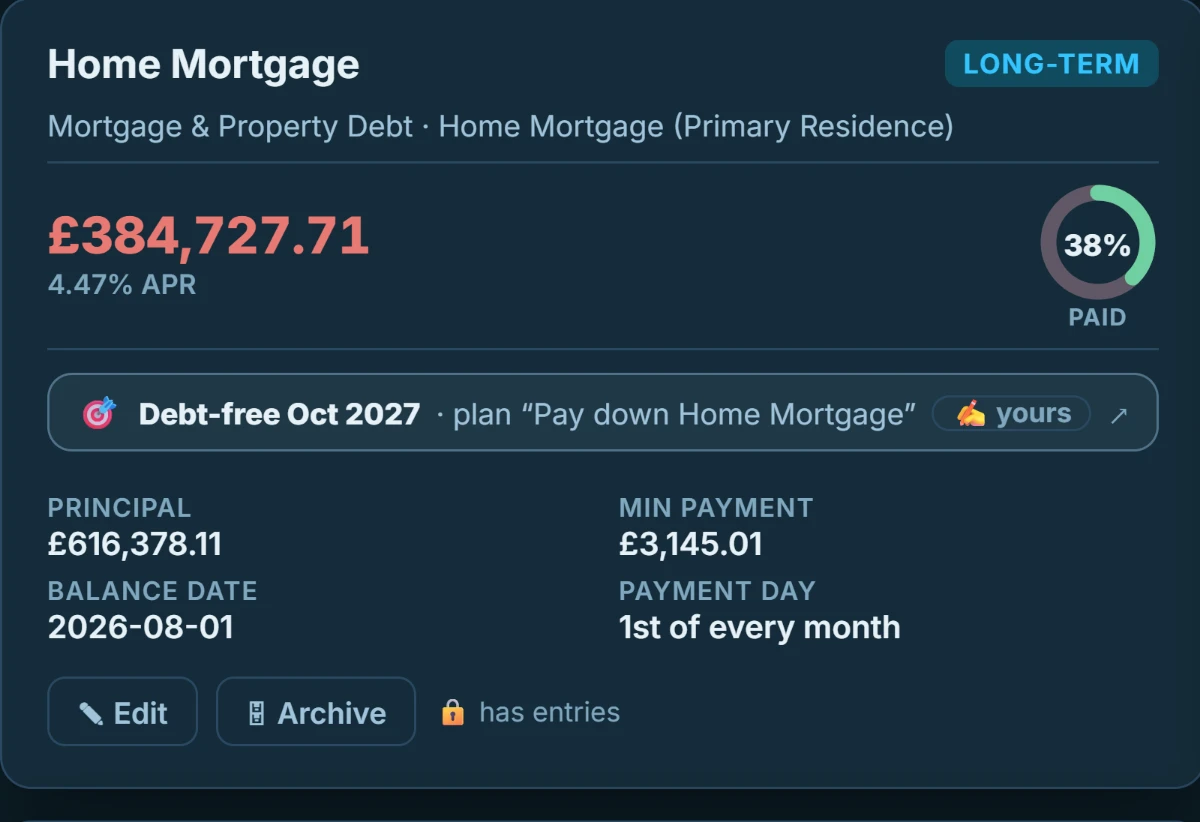
Debt payoff, dated
Every debt carries its APR, its minimum, and the month it clears. Model a bigger payment and watch the date move — and if a payment doesn't beat the interest, the app says so plainly instead of drawing a hopeful line.
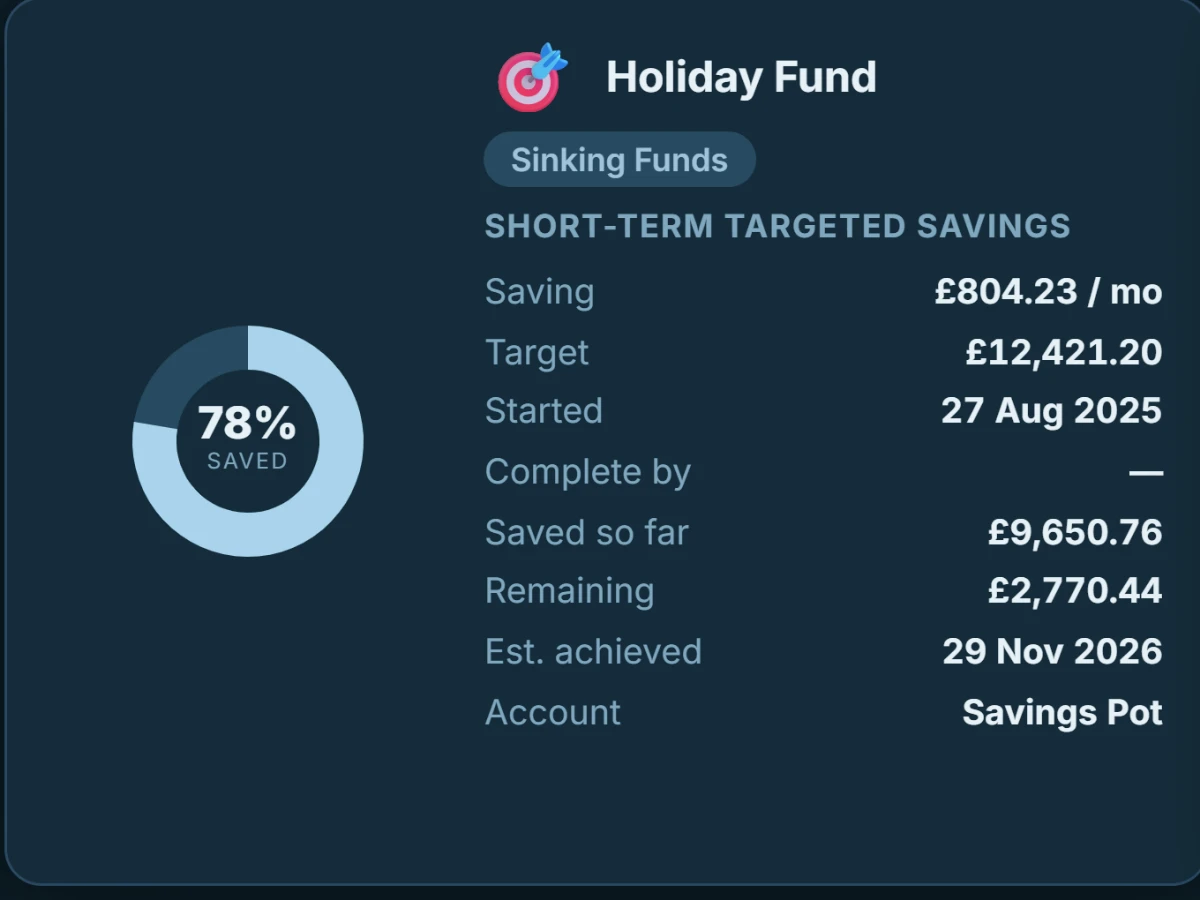
Goals that estimate themselves
Each goal knows its target, its pace and the date you'll actually reach it — computed from your real deposits, not your intentions. When the estimate slips past your deadline, it turns amber rather than staying quietly optimistic.
Always watching
It notices what
you would have missed.
MyMoneyPot combs your own history and flags what stands out — measured against your patterns, not a generic threshold.
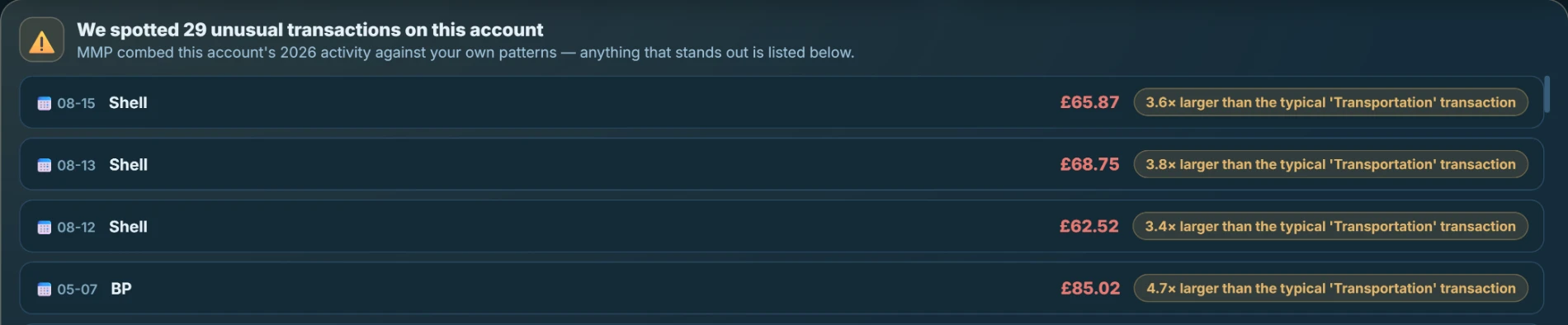
Every flag explains itself — “3.8× larger than the typical Transportation transaction”.
The savings engine
It reads your spending
and finds the money.
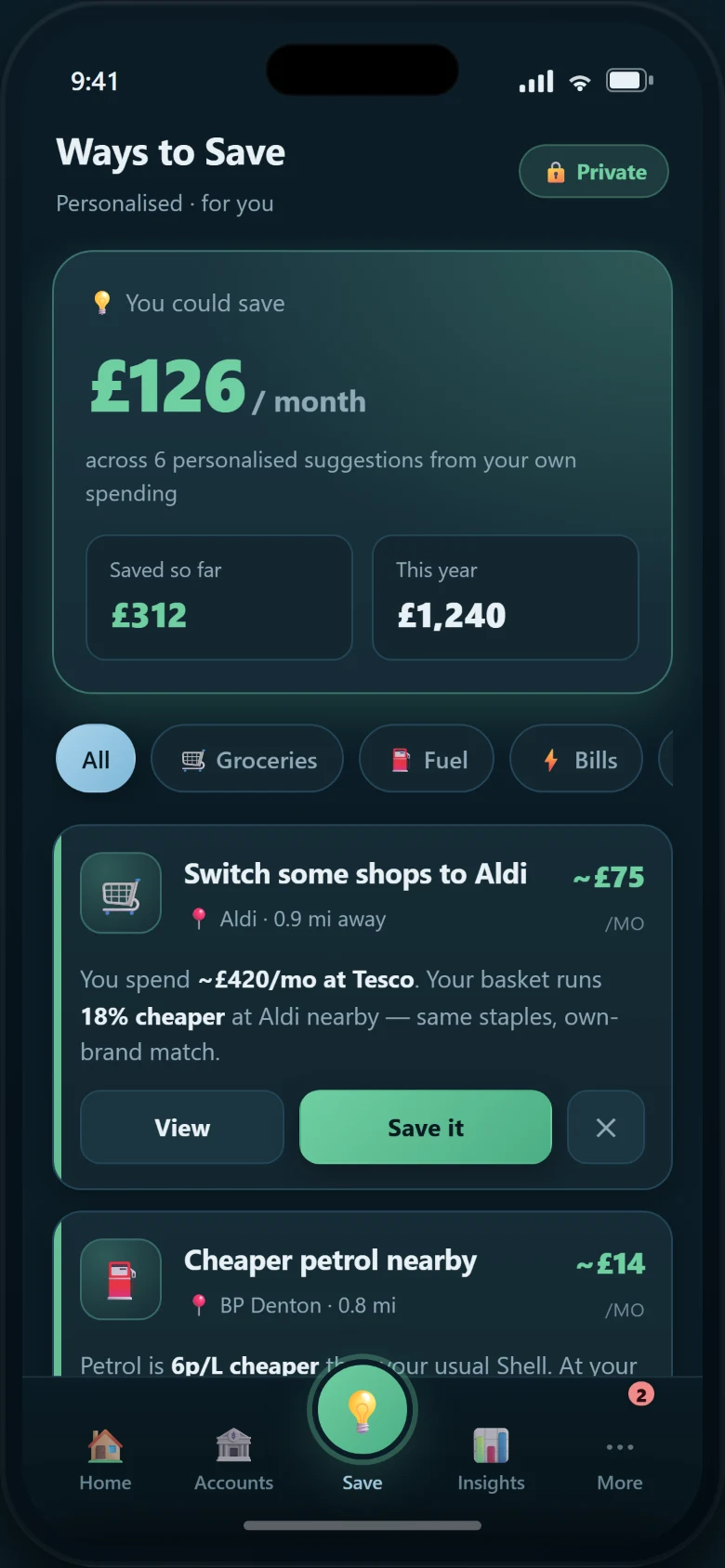
Not a generic tip list. MyMoneyPot studies your transactions — the subscription you stopped using in March, the weekly shop that quietly rose 18%, the standing order that outlived its purpose — and tells you what to do about each one, with the working shown.
Shows its working
Every figure comes with a low–mid–high estimate and the assumptions behind it. No invented numbers.
Never nags twice
Dismiss a suggestion and it stays dismissed. Accept one and it tracks whether it actually saved you money.
The companion
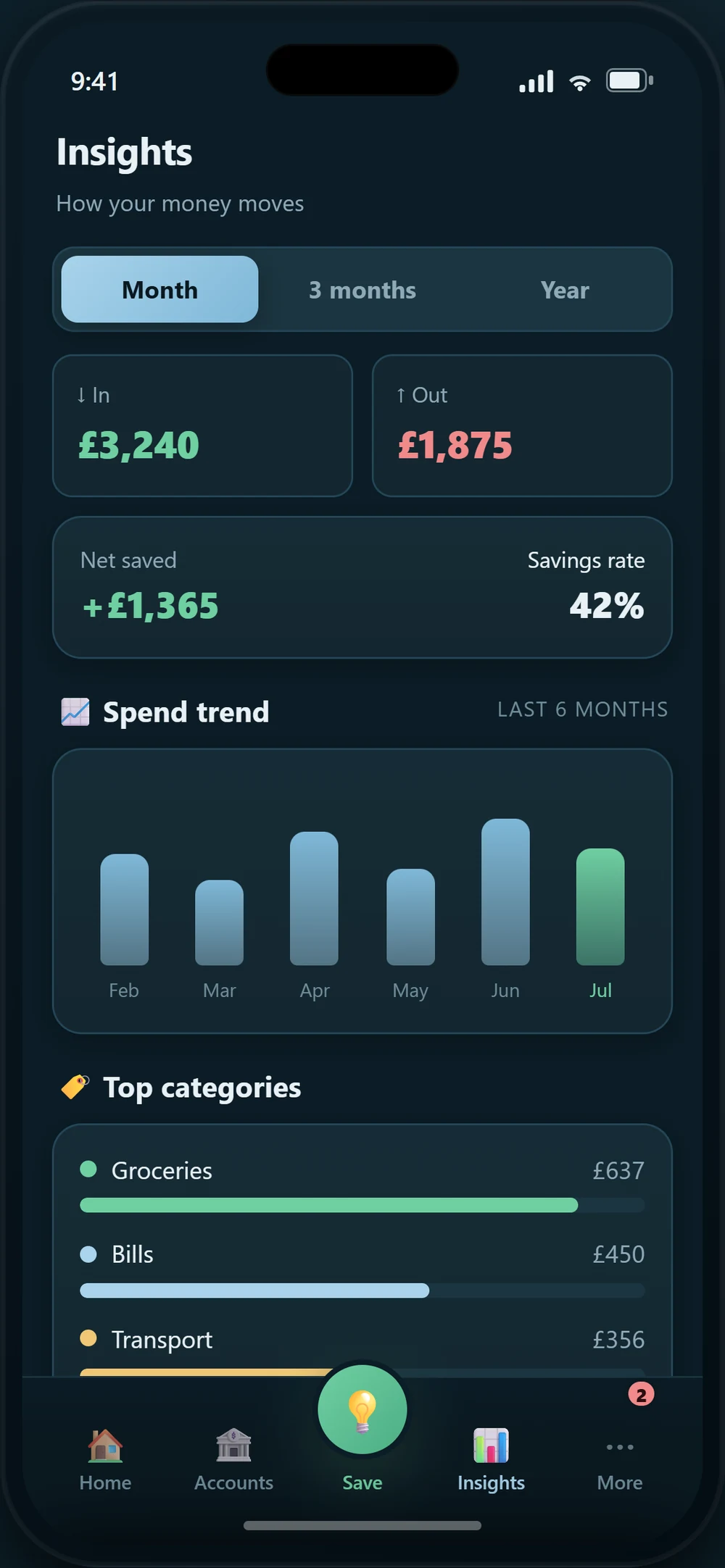
Your numbers, in your pocket.
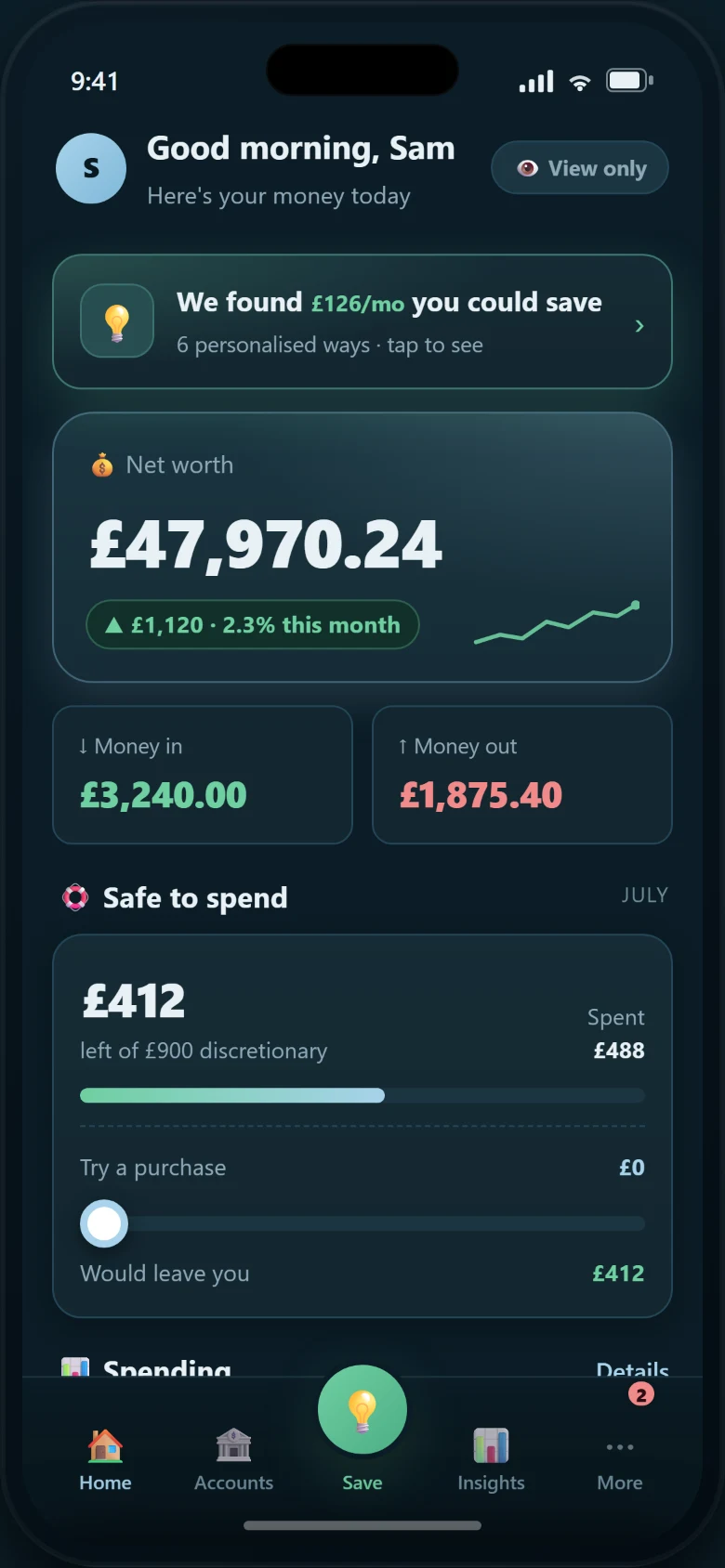
The desktop stays the system of record. The phone is a private, encrypted replica — unlocked by your fingerprint, synced through a folder you own, and a free, complimentary download with your licence.
The maths
One payment.
Then nothing, ever again.
A $15-a-month app costs you $900 over five years — and stops working the day you stop paying.
| Over five years | MyMoneyPot | Typical subscription app |
|---|---|---|
| Total cost | $149, once | $900+, forever rising |
| If you stop paying | Keep using it. Always. | Locked out of your own history |
| Where your data lives | Your disk, encrypted | Their servers |
| Bank credentials | Never asked for | Required to work |
| Works offline | Completely | Rarely |
| Your data if they shut down | Still yours, still open | Gone with them |
Swipe the table for the subscription column →
Reviews
The first owners
are moving in.
MyMoneyPot has just left the workshop, and this space is reserved for what real owners say — not quotes we wrote ourselves. Until they've had their month with it, the most honest review available is the trial: the full app, on your machine, free for 30 days.
Pricing
One payment. Yours forever.
Single User Edition
once — not per month, not per year
📱 Mobile app included — a free, complimentary download
- ✓The complete desktop app for Windows & macOS
- ✓The mobile companion — free complimentary download, no extra charge
- ✓Every feature — nothing held back for a higher tier
- ✓Statement import, 14 reports, budgeting, debt payoff, savings goals
- ✓Free updates, and it keeps working whatever we do next
- ✓30-day free trial — no card, no account
No account required. The trial is the full app.
Questions worth asking
If it never connects to my bank, how does it get my transactions?
You give it the statement your bank already provides — CSV, OFX, QFX, QIF, CAMT.053, MT940 or a digital PDF. MyMoneyPot reads it on your machine, learns your bank's layout the first time, and imports it automatically ever after. It reconciles what it read against the statement's own opening and closing totals, so a mis-read cannot pass silently.
What actually happens when I stop paying?
Nothing. There is nothing to stop paying. You bought the application; it runs on your computer and keeps running. No licence check phones home, and no feature expires.
Is my data locked into a proprietary format?
No. Your ledger is a standard SQLite database, and everything exports to CSV, JSON, HTML and PDF whenever you want. If you ever leave, you take everything with you in formats other software can read.
How does the phone stay in sync without a server?
Through a cloud folder you already own. Your desktop encrypts each change before it leaves the machine and writes it to your own Google Drive; your phone reads and decrypts it with the passphrase only you hold. We operate no server and hold no key.
Does it use AI, and does that mean my data goes somewhere?
The engine is deterministic first — the arithmetic that decides your balances is plain, auditable code, never a model. Optional on-device assistance can help read an awkward statement, and it runs entirely on your machine, off by default. Nothing is ever sent anywhere for processing.
Which platforms does it run on?
A native desktop app for Windows and macOS, plus a mobile companion for Android. It is a real installed application, not a website in a wrapper — which is precisely why it can keep your data local.